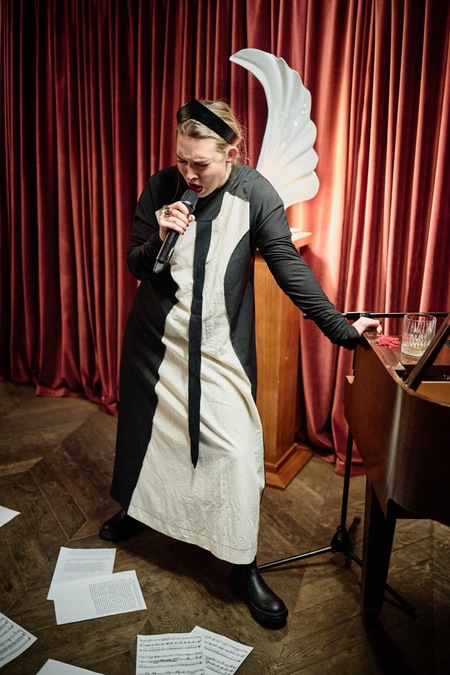
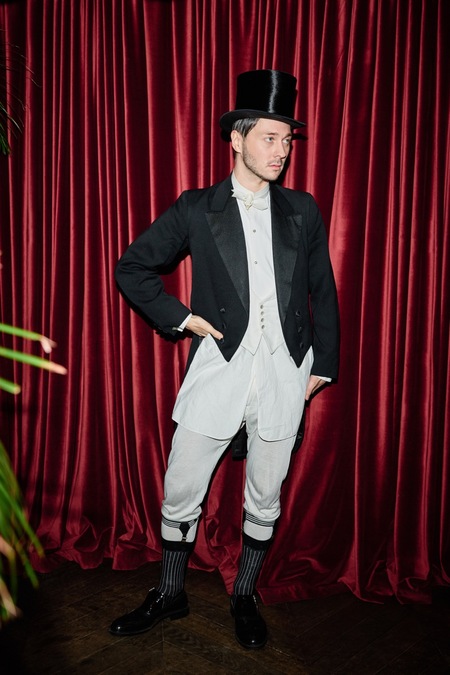
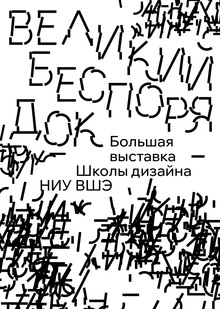
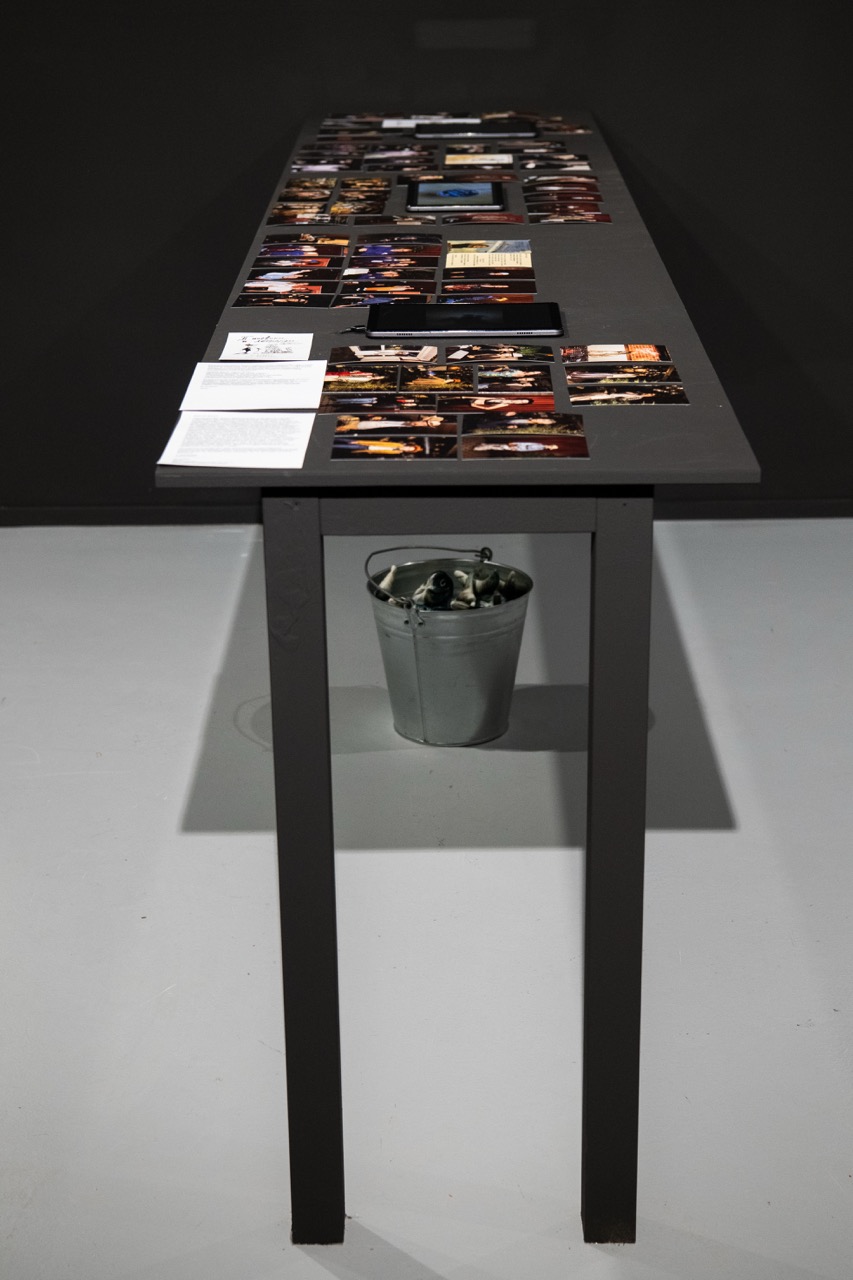
В период с декабря 2023 года по декабрь 2025 года группа ППСС создавала произведения искусства в форме светских событий-вечеринок, которые под общим названием «Вечеринки ППСС» проходили в «Стрелке» на Берсеневской набережной. Были осуществлены следующие тематические вечеринки:
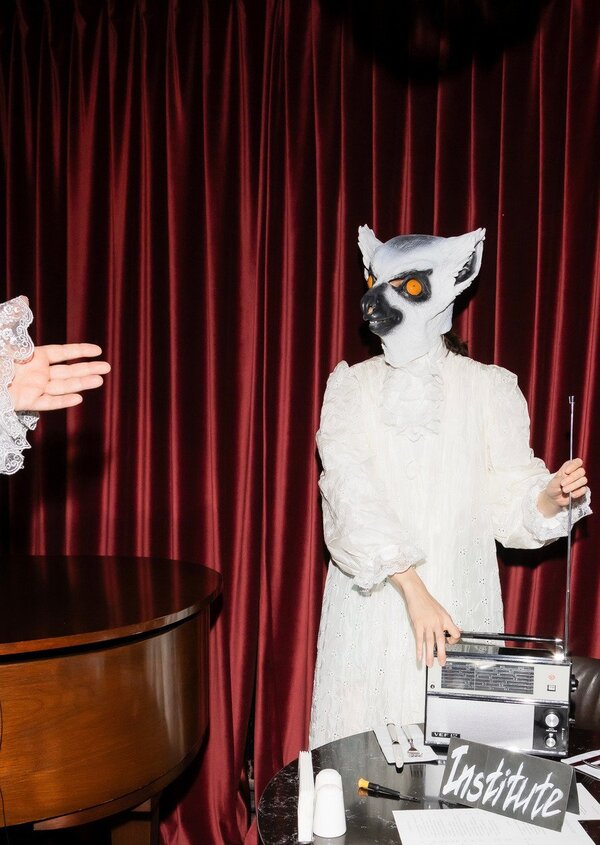
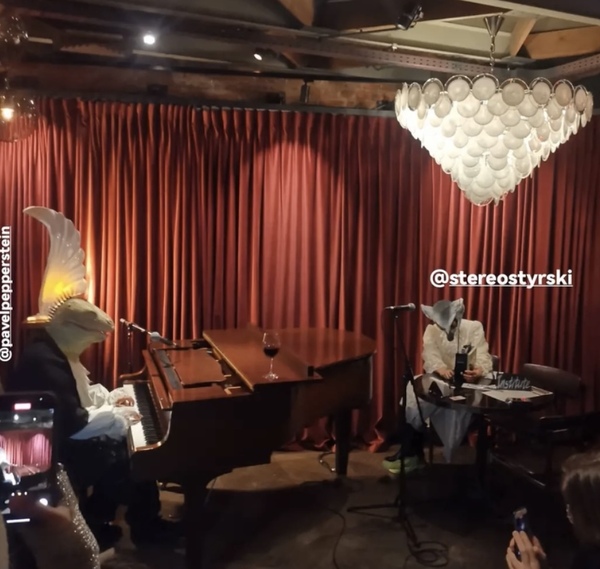
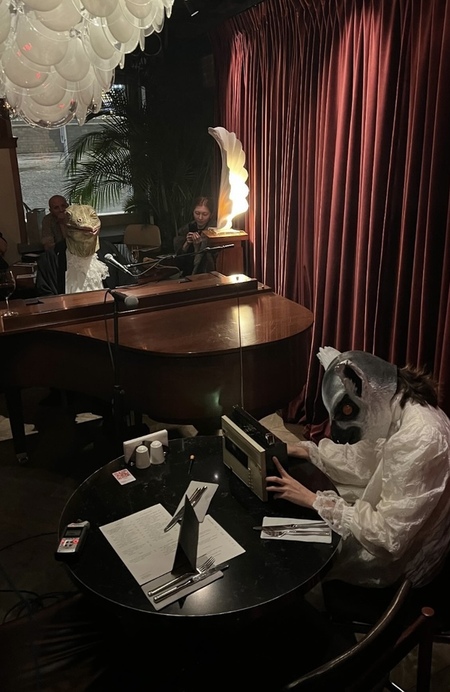
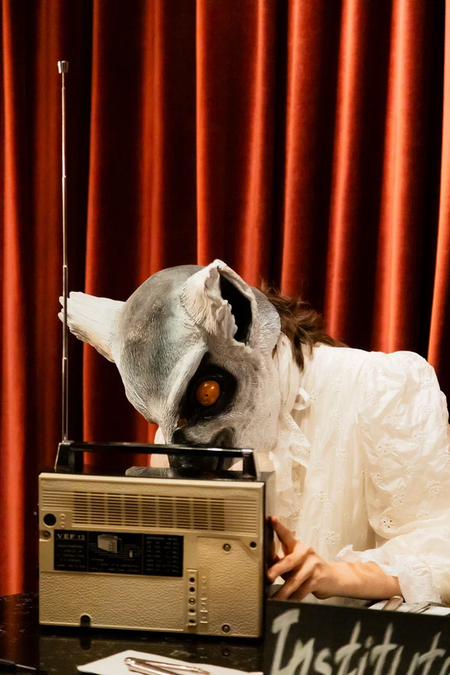
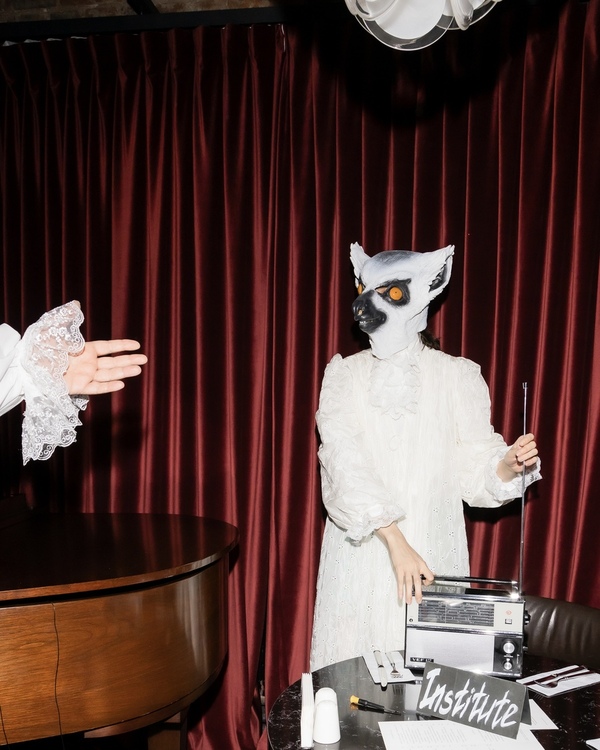
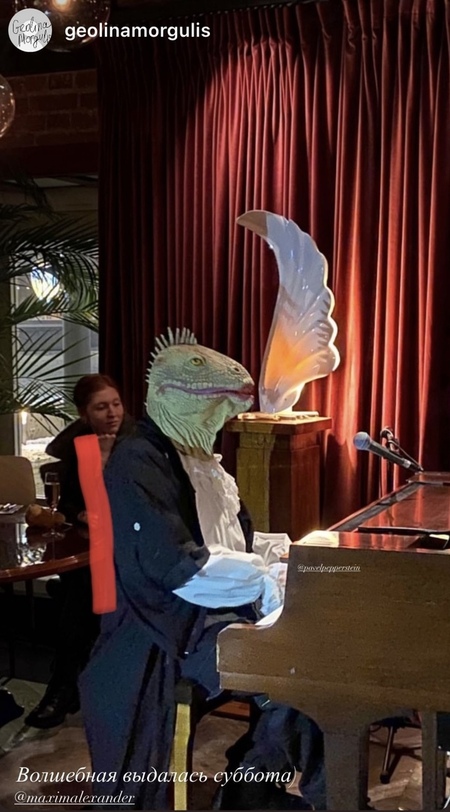
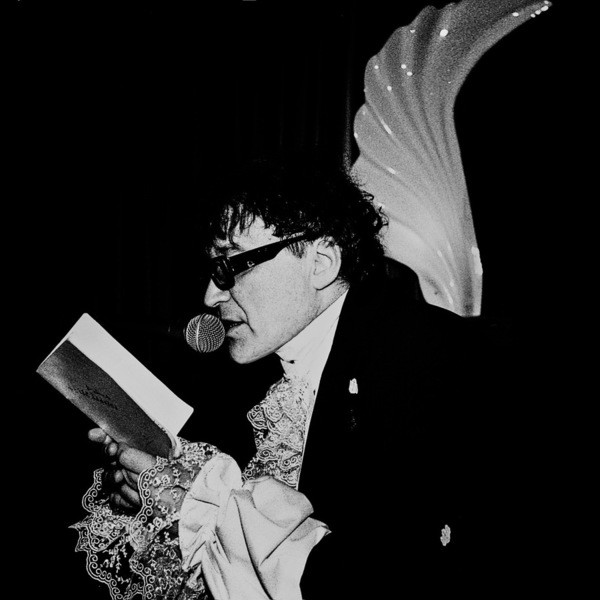
«Кружева и животные» (09.12.2023);
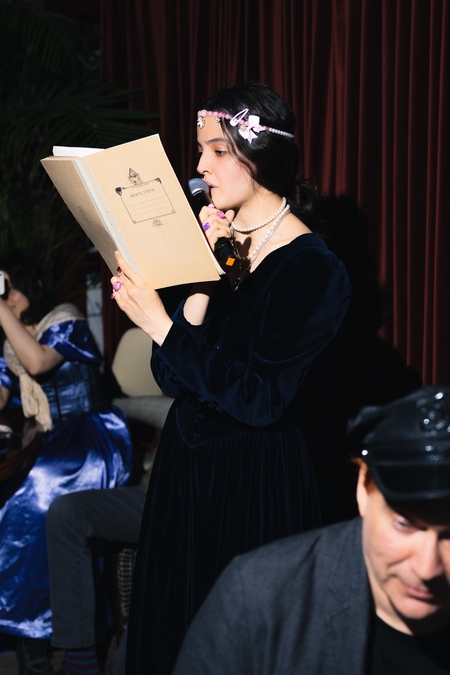
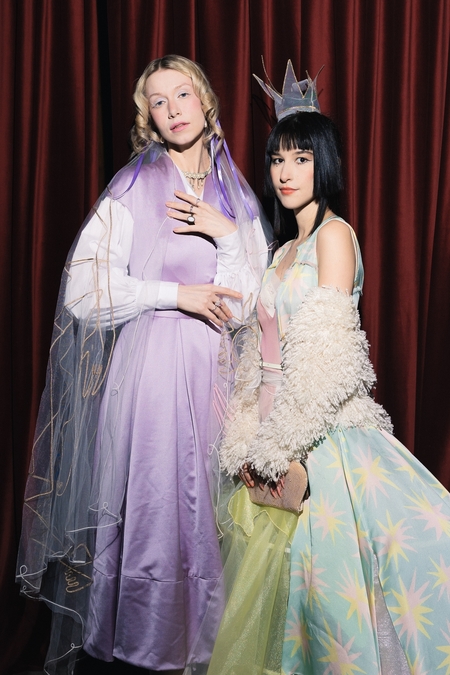
«Принцессы и нищие» (20.03.2024);
«Пингвины и леопарды» (20.11.2024);
«Рабочие и колхозницы» (26.04.2025);
«Ковбои и русалки» (05.12.2025).
Афиша вечеринки группы ППСС x BALTHAZAR «Кружева и животные» (09.12.2023) в баре «Стрелка».
Исходный размер 965x1372
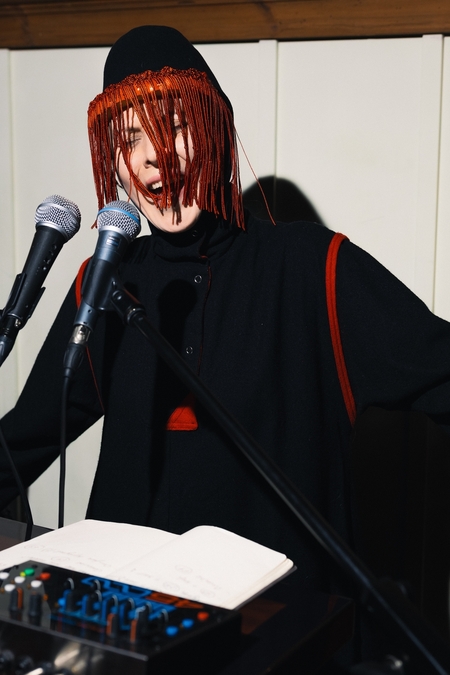
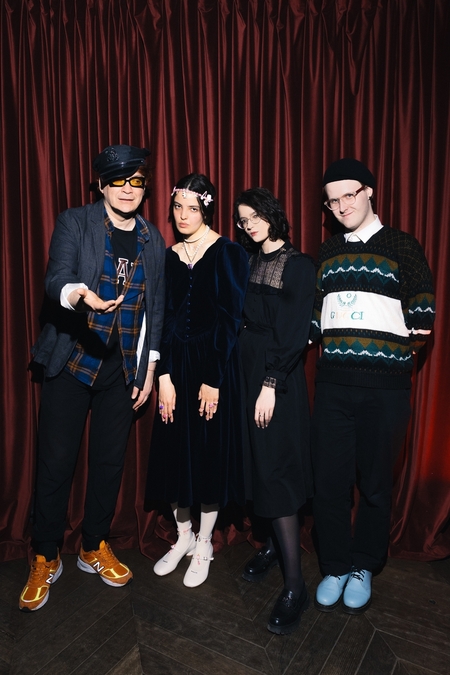
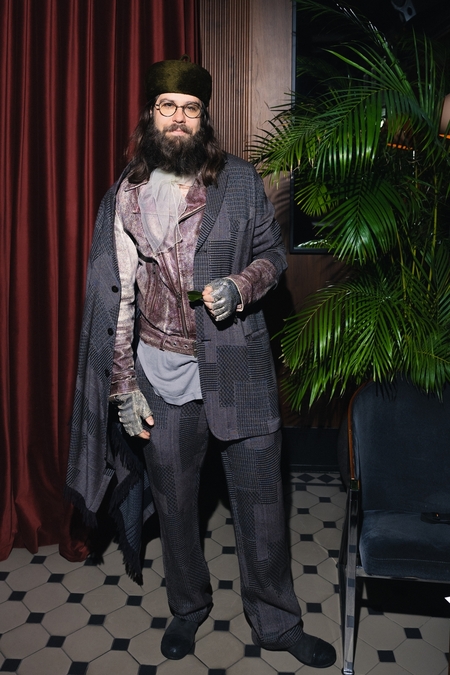
Фотодокументация вечеринки группы ППСС x BALTHAZAR «Кружева и животные» (09.12.2023) в баре «Стрелка».
2. ПРИНЦЕССЫ И НИЩИЕ (20.03.2024)
Исходный размер 1080x1350
Афиша вечеринки группы ППСС «Принцессы и нищие» (20.03.2024) в баре «Стрелка».
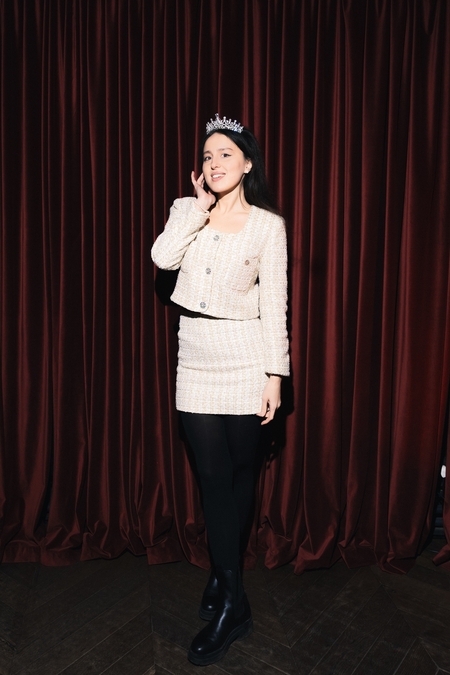
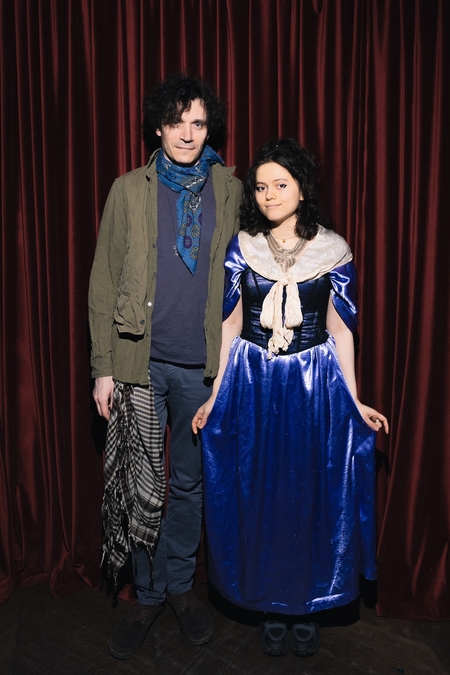
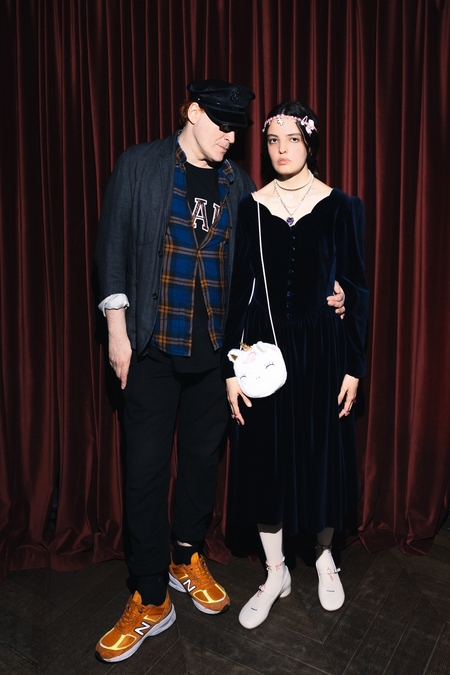
Фотодокументация вечеринки группы ППСС «Принцессы и нищие» (20.03.2024) в баре «Стрелка».
Фотограф: Антон Доников.
3. ПИНГВИНЫ И ЛЕОПАРДЫ (20.11.2024)
Исходный размер 1440x1800
Афиша вечеринки группы ППСС «Пингвины и леопарды» (20.11.2024) в баре «Стрелка».
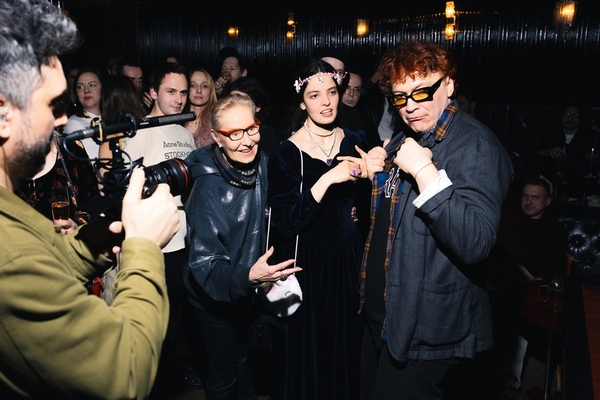
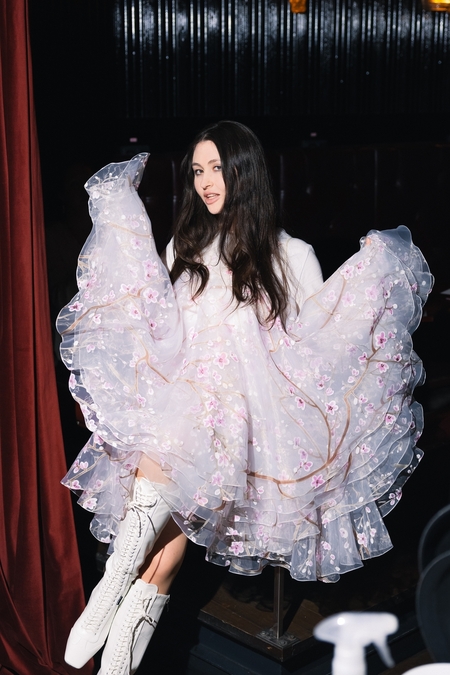
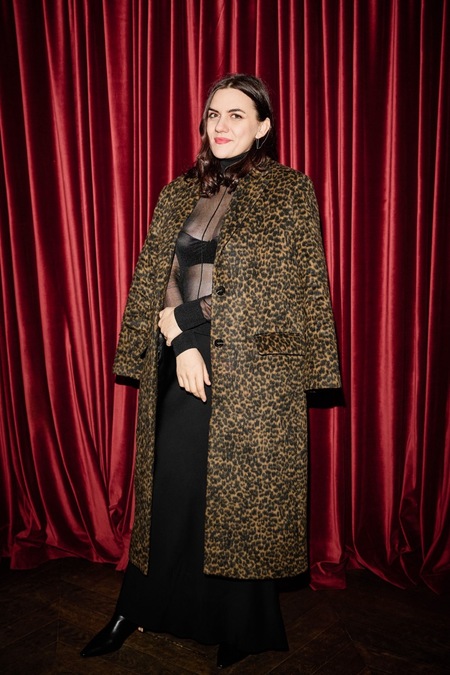
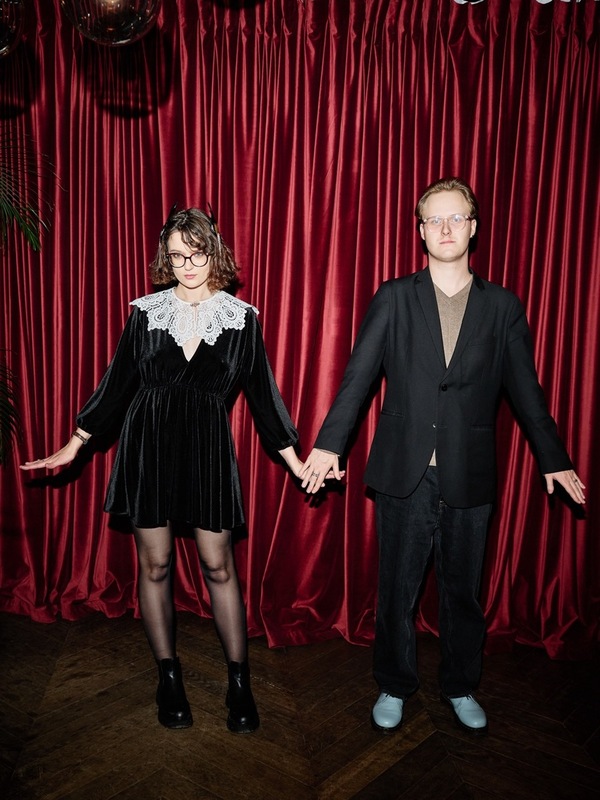
Фотодокументация вечеринки группы ППСС «Пингвины и леопарды» (20.11.2024) в баре «Стрелка».
Фотограф: Николай Казеев.
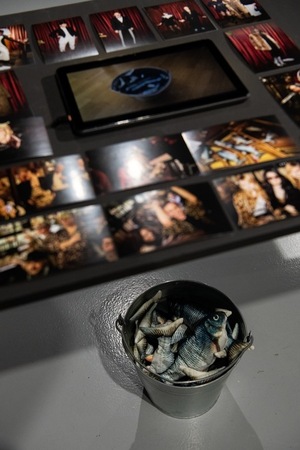
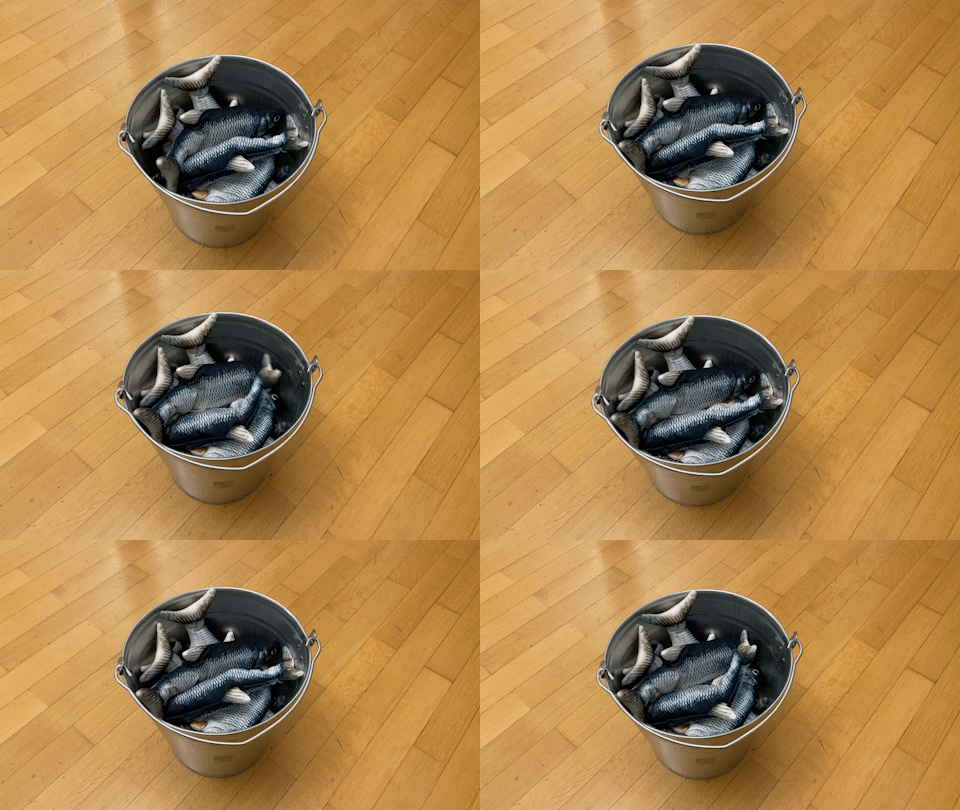
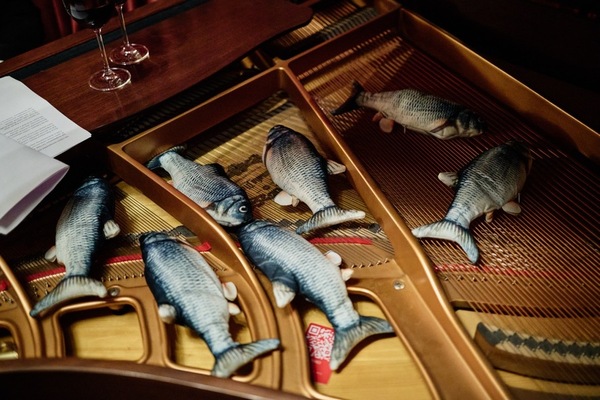
Арт-группа ППСС. Объект «Рыбное озеро», 2024.
4. РАБОЧИЕ И КОЛХОЗНИЦЫ (26.04.2025)
Афиша и пригласительный на вечеринку группы ППСС «Рабочие и колхозницы» (26.04.2025) в баре «Стрелка».
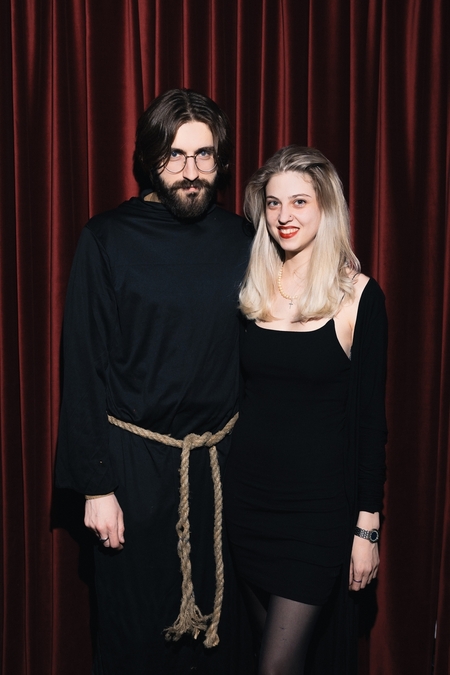
Фотодокументация вечеринки группы ППСС «Рабочие и колхозницы» (26.04.2025) в баре «Стрелка».
Фотограф: Николай Зверков.
5. КОВБОИ И РУСАЛКИ (05.12.2025)
Исходный размер 720x900
Афиша вечеринки группы ППСС «Ковбои и русалки» (05.12.2025) в баре «Стрелка».
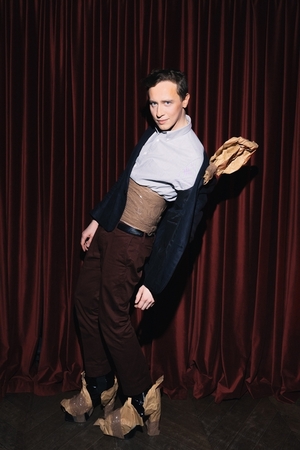
Фотодокументация вечеринки группы ППСС «Ковбои и русалки» (05.12.2025) в баре «Стрелка».
Фотограф: Катя Анохина.
Звезда и пояс. Артефакты, которые члены группы ППСС использовали во время вечеринки «Ковбои и русалки».
Коллекционные постеры арт-группы ППСС
Изображения предоставлены арт-группой ППСС, баром «Стрелка» (фотографы: Антон Доников, Николай Казеев, Николай Зверков, Катя Анохина) и Галереей Школы дизайна НИУ ВШЭ (HSE ART GALLERY) (фотограф: Роман Коновалов)
Мы используем файлы cookies для улучшения работы сайта НИУ ВШЭ и большего удобства его использования. Более подробную...
Показать больше
Press space bar to start a drag.
When dragging you can use the arrow keys to move the item around and escape to cancel.
Some screen readers may require you to be in focus mode or to use your pass through key
Press space bar to start a drag.
When dragging you can use the arrow keys to move the item around and escape to cancel.
Some screen readers may require you to be in focus mode or to use your pass through key
Press space bar to start a drag.
When dragging you can use the arrow keys to move the item around and escape to cancel.
Some screen readers may require you to be in focus mode or to use your pass through key
Press space bar to start a drag.
When dragging you can use the arrow keys to move the item around and escape to cancel.
Some screen readers may require you to be in focus mode or to use your pass through key
Press space bar to start a drag.
When dragging you can use the arrow keys to move the item around and escape to cancel.
Some screen readers may require you to be in focus mode or to use your pass through key
Press space bar to start a drag.
When dragging you can use the arrow keys to move the item around and escape to cancel.
Some screen readers may require you to be in focus mode or to use your pass through key
Press space bar to start a drag.
When dragging you can use the arrow keys to move the item around and escape to cancel.
Some screen readers may require you to be in focus mode or to use your pass through key
Press space bar to start a drag.
When dragging you can use the arrow keys to move the item around and escape to cancel.
Some screen readers may require you to be in focus mode or to use your pass through key
Press space bar to start a drag.
When dragging you can use the arrow keys to move the item around and escape to cancel.
Some screen readers may require you to be in focus mode or to use your pass through key
Press space bar to start a drag.
When dragging you can use the arrow keys to move the item around and escape to cancel.
Some screen readers may require you to be in focus mode or to use your pass through key
Press space bar to start a drag.
When dragging you can use the arrow keys to move the item around and escape to cancel.
Some screen readers may require you to be in focus mode or to use your pass through key

Press space bar to start a drag.
When dragging you can use the arrow keys to move the item around and escape to cancel.
Some screen readers may require you to be in focus mode or to use your pass through key
Press space bar to start a drag.
When dragging you can use the arrow keys to move the item around and escape to cancel.
Some screen readers may require you to be in focus mode or to use your pass through key
Press space bar to start a drag.
When dragging you can use the arrow keys to move the item around and escape to cancel.
Some screen readers may require you to be in focus mode or to use your pass through key
Press space bar to start a drag.
When dragging you can use the arrow keys to move the item around and escape to cancel.
Some screen readers may require you to be in focus mode or to use your pass through key
Press space bar to start a drag.
When dragging you can use the arrow keys to move the item around and escape to cancel.
Some screen readers may require you to be in focus mode or to use your pass through key
Press space bar to start a drag.
When dragging you can use the arrow keys to move the item around and escape to cancel.
Some screen readers may require you to be in focus mode or to use your pass through key
Press space bar to start a drag.
When dragging you can use the arrow keys to move the item around and escape to cancel.
Some screen readers may require you to be in focus mode or to use your pass through key
Press space bar to start a drag.
When dragging you can use the arrow keys to move the item around and escape to cancel.
Some screen readers may require you to be in focus mode or to use your pass through key

Press space bar to start a drag.
When dragging you can use the arrow keys to move the item around and escape to cancel.
Some screen readers may require you to be in focus mode or to use your pass through key
Press space bar to start a drag.
When dragging you can use the arrow keys to move the item around and escape to cancel.
Some screen readers may require you to be in focus mode or to use your pass through key
Press space bar to start a drag.
When dragging you can use the arrow keys to move the item around and escape to cancel.
Some screen readers may require you to be in focus mode or to use your pass through key
Press space bar to start a drag.
When dragging you can use the arrow keys to move the item around and escape to cancel.
Some screen readers may require you to be in focus mode or to use your pass through key

Press space bar to start a drag.
When dragging you can use the arrow keys to move the item around and escape to cancel.
Some screen readers may require you to be in focus mode or to use your pass through key

Press space bar to start a drag.
When dragging you can use the arrow keys to move the item around and escape to cancel.
Some screen readers may require you to be in focus mode or to use your pass through key

Press space bar to start a drag.
When dragging you can use the arrow keys to move the item around and escape to cancel.
Some screen readers may require you to be in focus mode or to use your pass through key

Press space bar to start a drag.
When dragging you can use the arrow keys to move the item around and escape to cancel.
Some screen readers may require you to be in focus mode or to use your pass through key

Press space bar to start a drag.
When dragging you can use the arrow keys to move the item around and escape to cancel.
Some screen readers may require you to be in focus mode or to use your pass through key

Press space bar to start a drag.
When dragging you can use the arrow keys to move the item around and escape to cancel.
Some screen readers may require you to be in focus mode or to use your pass through key
Press space bar to start a drag.
When dragging you can use the arrow keys to move the item around and escape to cancel.
Some screen readers may require you to be in focus mode or to use your pass through key

Press space bar to start a drag.
When dragging you can use the arrow keys to move the item around and escape to cancel.
Some screen readers may require you to be in focus mode or to use your pass through key
Press space bar to start a drag.
When dragging you can use the arrow keys to move the item around and escape to cancel.
Some screen readers may require you to be in focus mode or to use your pass through key

Press space bar to start a drag.
When dragging you can use the arrow keys to move the item around and escape to cancel.
Some screen readers may require you to be in focus mode or to use your pass through key

Press space bar to start a drag.
When dragging you can use the arrow keys to move the item around and escape to cancel.
Some screen readers may require you to be in focus mode or to use your pass through key

Press space bar to start a drag.
When dragging you can use the arrow keys to move the item around and escape to cancel.
Some screen readers may require you to be in focus mode or to use your pass through key
Press space bar to start a drag.
When dragging you can use the arrow keys to move the item around and escape to cancel.
Some screen readers may require you to be in focus mode or to use your pass through key