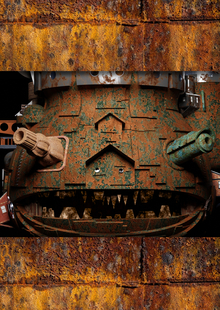
Бездомные люди существуют в состоянии невидимости: они игнорируются обществом и исключены из процессов адаптации к новой реальности. У них нет накоплений
и возможностей планировать будущее, их воспринимают как нечто чуждое, что ведет к изоляции и конфликтам.
Цель проекта — создать культурный мост между обществом и бездомными.
Нейросеть, которая по сути является продуктом общества, вобравшая в себя миллионы изображений и культурных кодов, становится инструментом, способным не только документировать, но и трансформировать восприятие реальности, чтобы мы увидели бездомных пускай и в странных обстоятельствах
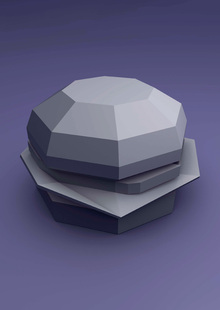
Ксения Зиновьева создала серию скульптур, объединяющих фастфуд и низкополигональный метод моделирования в образы городских объектов. Проект демонстрирует, как упрощение форм и абстракция могут отражать современные аспекты городской среды и потребления.
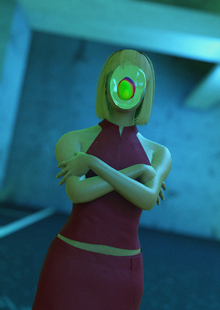
Нарративный видеоарт «MASKED LIFE» рассказывает о двух молодых людях, скрывающих истинное обличие за масками-эмоциями. Проект исследует явление маскинга, когда люди живут чужой жизнью, чтобы соответствовать социальным нормам.
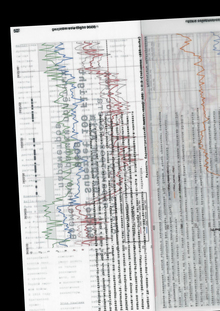
Владимир Федорченко создал проект «Всё и все по Гибли» в формате текстовых постов. Проект включает в себя фрагменты, такие как «Разрушенный мир, где никого не осталось, кроме оазиса надежды в виде блуждающего замка Хаула».
creativecity.academy
A joint project of the HSE ART AND DESIGN SCHOOL and the Institute for the Development of Creative Industries, focused on working with Russian regions. The Creative City digital platform is a media outlet that aggregates projects related to territorial branding, a community of professionals, and a service that allows you to create local websites, work with the local identity and popularity of cities and places. Study the map of the Creative City. Get acquainted with the projects that have already been implemented. Add your... Show more
We use cookies to improve the operation of the HSE website and to enhance its usability. More detailed information on the use of cookies can be fou...
Show more
Press space bar to start a drag.
When dragging you can use the arrow keys to move the item around and escape to cancel.
Some screen readers may require you to be in focus mode or to use your pass through key
Press space bar to start a drag.
When dragging you can use the arrow keys to move the item around and escape to cancel.
Some screen readers may require you to be in focus mode or to use your pass through key
Press space bar to start a drag.
When dragging you can use the arrow keys to move the item around and escape to cancel.
Some screen readers may require you to be in focus mode or to use your pass through key
Press space bar to start a drag.
When dragging you can use the arrow keys to move the item around and escape to cancel.
Some screen readers may require you to be in focus mode or to use your pass through key
Press space bar to start a drag.
When dragging you can use the arrow keys to move the item around and escape to cancel.
Some screen readers may require you to be in focus mode or to use your pass through key
Press space bar to start a drag.
When dragging you can use the arrow keys to move the item around and escape to cancel.
Some screen readers may require you to be in focus mode or to use your pass through key
Press space bar to start a drag.
When dragging you can use the arrow keys to move the item around and escape to cancel.
Some screen readers may require you to be in focus mode or to use your pass through key
Press space bar to start a drag.
When dragging you can use the arrow keys to move the item around and escape to cancel.
Some screen readers may require you to be in focus mode or to use your pass through key
Press space bar to start a drag.
When dragging you can use the arrow keys to move the item around and escape to cancel.
Some screen readers may require you to be in focus mode or to use your pass through key